

Custom workflows
Custom workflows are one of Xenora’s most powerful and flexible features. They let you design your own document collection processes — tailored exactly to how your business operates.Multiple parties
Collect documents from multiple customers, vendors, or stakeholders in a single case.
Custom requirements
Specify exactly which documents each party needs to submit.
Custom fields
Capture structured data alongside the documents.
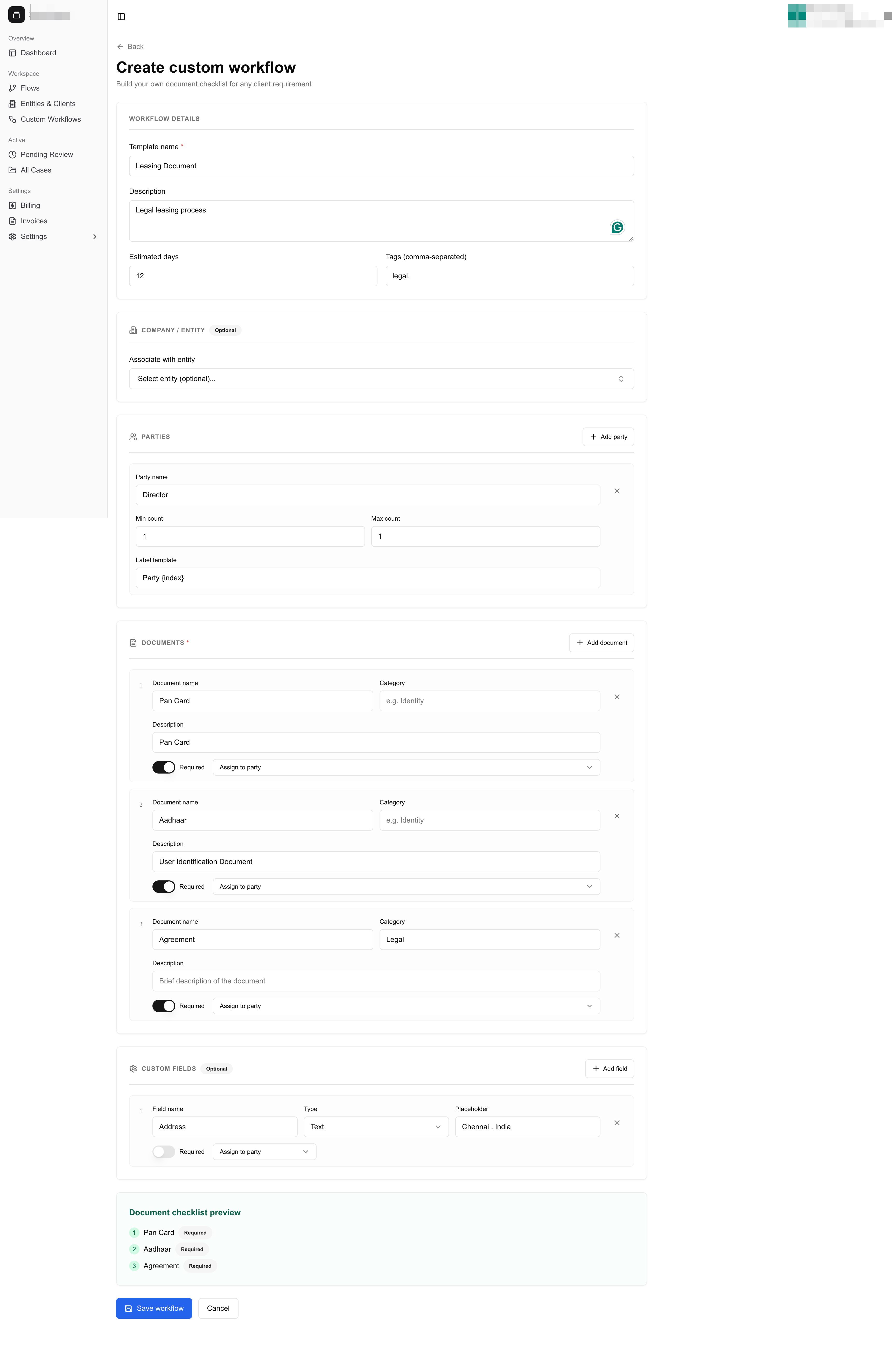
Custom workflow builder
Using a custom flow
Once created, your custom flow appears under the Custom Flows section on the Flows page. From there, it works exactly like any built-in flow:1
Open the flow
Click the custom flow to open it.
2
Create a new case
Create a new case and select the parties involved.
3
Notify the customer
Customers receive WhatsApp and email notifications, just like with standard flows.
4
Review uploads
Documents are uploaded, validated, and reviewed through the usual process.
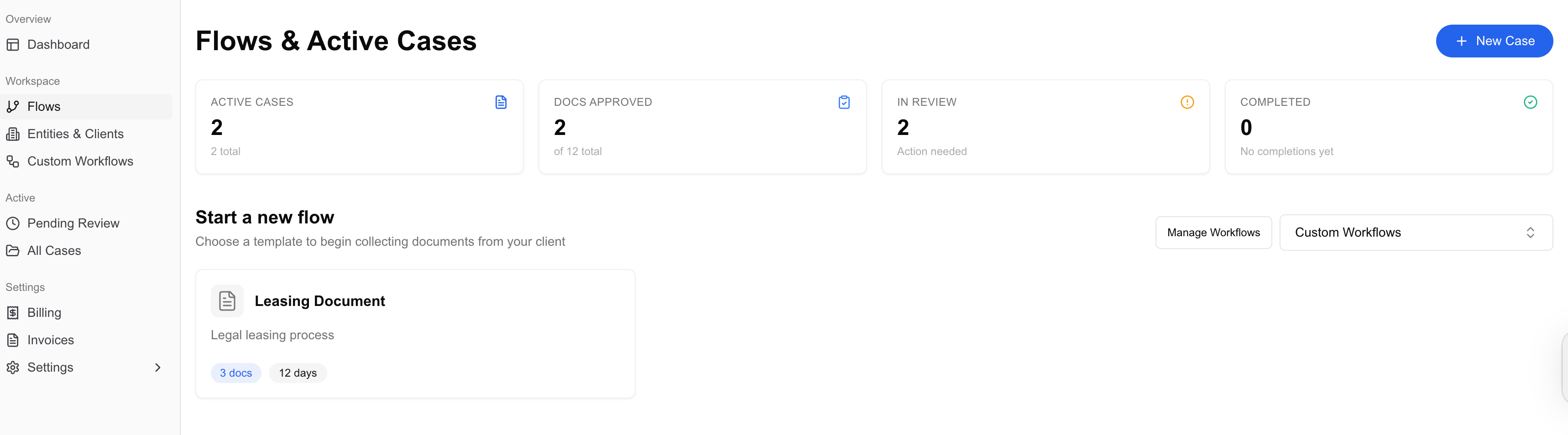
Custom flow case view
There’s no separate workflow for cases created from custom flows — your team can use them seamlessly alongside Xenora’s built-in flows.