

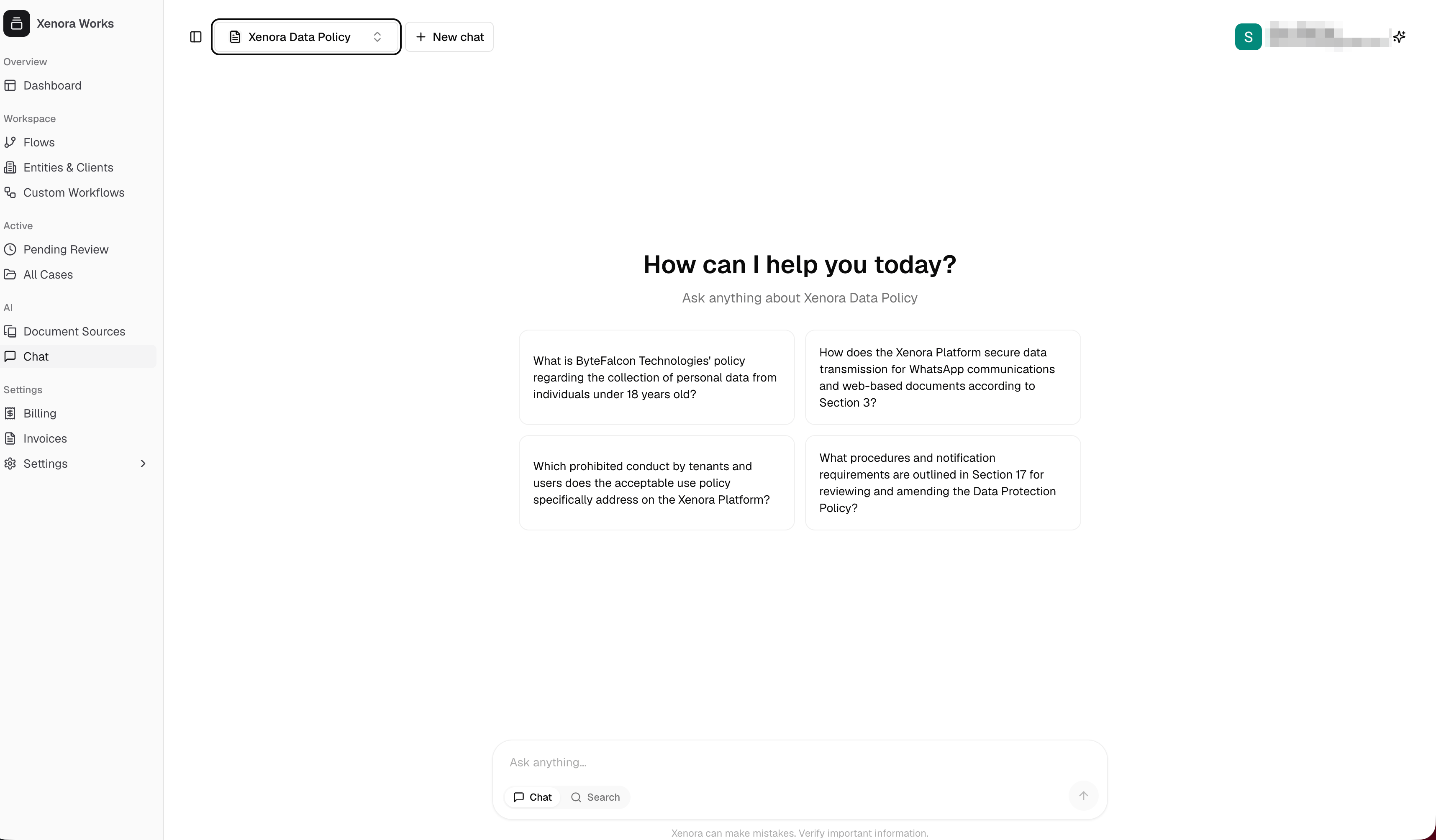
Asking a question on the Chat page
Pick what to chat with
At the top of the page, click the selector to choose which knowledge base to ask about. It opens with two tabs:Documents
Your uploaded Document Sources — policies, manuals, agreements, and other files.
Cases
Your trained cases. Each shows its case name and document count.
Ask a question
Before you’ve asked anything, Xenora suggests a few starter questions about the selected source — click one to try it, or type your own. Type into the Ask anything… box at the bottom and press Enter (or click the send arrow). The answer appears above, with citations linking back to the source documents. Keep asking follow-up questions in the same conversation — Xenora remembers the context of what you’ve already discussed. To start fresh with a clean conversation, click New chat at the top of the page.Chat or Search
Below the input box you can switch between two modes:Chat
Get an AI-written answer to your question, in full sentences, with citations. Best for questions like “What’s the notice period in this policy?”
Search
Get back the most relevant passages from your documents, ranked — with no AI-written answer. Best when you want to find and read the exact wording yourself.